



How to Create a Digital Business Card (Step by Step)
Learn how to create a digital business card that actually gets saved: what info to include, design tips, choosing NFC vs QR vs virtual, building the profile, and sharing it the right way.
By VIPKART · Published June 20, 2026 · 8 min read
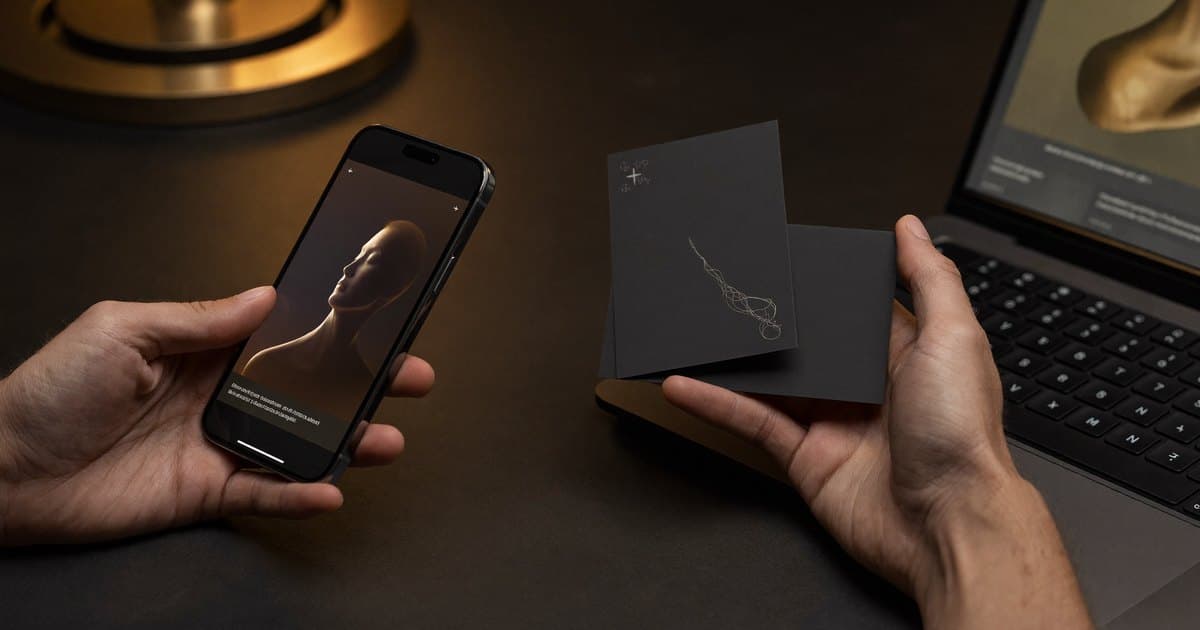
Most people assume creating a digital business card is a technical project. It is not. The hard part is not the technology—the chip, the QR code, the profile page all take care of themselves. The hard part is deciding what to put on it, what to leave off, and how to share it so it gets saved instead of forgotten.
This guide walks you through the whole process the way someone who has set up dozens of these would: what information actually belongs on your card, how to design a profile people trust, how to choose between NFC, QR, and a purely virtual card, and how to share it so it earns its place in someone's phone. By the end you will have a card that does real work, not a digital novelty you tap once and never think about again.
Before you start: what a digital business card actually is
If you are new to the format, a digital business card is an online profile that holds your contact details and links, shared instantly by tapping a physical card against a phone or by scanning a QR code. The person receiving it does not install anything—your profile opens in their browser and saves to their contacts with one tap.
The mental shift to make early is this: you are not designing a card, you are designing a profile. The physical card (or the QR code) is just the doorway. What people see after they tap is what determines whether they save you or close the tab. So most of the work below is about the profile, and the card is the easy part.
Step 1: Decide what information to include
This is the step people rush, and it is the one that matters most. A digital profile can hold almost unlimited information, which is exactly why so many of them fail—they become a wall of links that gives the visitor no idea what to do next.
Work from the opposite direction. Ask one question: what is the single action I want this person to take? Then build the profile around that.
The essentials (almost everyone needs these)
- Name and job title — exactly how you want to be remembered, not your full legal title.
- Company — with a logo if you have one.
- Primary phone and email — the ones you actually answer, wired to one-tap call and email buttons.
- A "save to contacts" button — this should be impossible to miss. It is the whole point.
The high-value additions
- A short bio — two or three sentences. Who you help and what you do, in plain language.
- The one or two links that drive your work — a booking page if you sell time, a portfolio if you sell craft, LinkedIn if you sell yourself.
- A profile photo — people remember faces far better than names. A clean headshot does more than another link.
- A Google review link — if your business lives on reputation, a review request on your profile turns a good interaction into a public five-star one.
What to leave off
Resist the urge to add every social account you own. A profile with three deliberate actions outperforms one with twelve competing ones every time. If a link does not serve the goal you defined above, it is clutter. You can always add more later once you see what people actually click.
Step 2: Choose between NFC, QR, and a virtual card
There is no single right answer here—it depends on how you meet people. Here is how the three options actually differ in practice. For a deeper comparison of the two technologies, see NFC vs QR code business cards.
NFC: the one-tap physical card
An NFC card has a tiny chip embedded inside it. Hold someone's phone near the card and their profile opens—no app, no scanning, no typing. This is the option that produces the small "how did you do that?" moment in person, and that moment is worth more than people expect. It makes you memorable before the other person has even read your title.
Choose NFC if you meet people face to face: sales, real estate, hospitality, events, consulting. The tap is the differentiator.
QR: the universal fallback (and the printed option)
A QR code works on every phone camera with no special app. The best physical cards carry both—an NFC chip to tap and a printed QR code for the rare phone where tapping is not available, or for when you are showing your profile on a screen across a table.
You can also use a QR code entirely on its own: on a table tent, a name badge, a shop window, a slide at the end of a talk. Anywhere a tap is not practical, a scan still works.
Virtual: no physical card at all
A virtual business card is the profile and QR code without the physical object. You share it as a link in your email signature, a text message, a WhatsApp chat, or a social bio. It costs nothing to produce and reaches people you will never meet in person.
For most professionals the answer is "both": a physical NFC card for the in-person moments and the same profile reachable by link for everything else. They are not competing choices—they point to one profile.
Step 3: Build the profile
Now you assemble what you decided in Step 1 into an actual page. A few principles separate a profile people trust from one they bounce off.
Keep it fast and mobile-first
Almost everyone who opens your profile is doing it on a phone, standing up, mid-conversation. If the page is slow or cluttered, you have lost them. A good platform handles performance for you, but the content discipline is on you: lead with the save button and the one action that matters, and let everything else sit below it.
Make the hierarchy obvious
The eye should land, in order, on: who you are, how to reach you, and the one next step. If a visitor has to hunt for your phone number or scroll past five social icons to find the "book a call" button, the design is working against you. Order by importance, not by what you happened to add first.
Write the bio like a human
Skip the corporate filler. "Results-driven professional leveraging synergies" tells no one anything. "I help Bucharest restaurants get more five-star reviews" tells them exactly whether to keep reading. Specific beats impressive.
Use a photo and consistent branding
A headshot and your brand colors do quiet but real work—they signal that the profile is genuinely yours and professionally maintained, not a throwaway link. For teams, that consistency compounds: every card looks like it belongs to the same company. If you are setting cards up across a company, our guide to digital business cards for teams covers doing this at scale.
Step 4: Set up and test the card
If you went with a physical NFC card, this step is short but worth doing carefully.
When you order a quality card, it gets programmed to point at your profile. The detail that matters: with a good platform the link written to the card is permanent, even when you change everything behind it. That means you can update your job, number, or links for years without ever reprinting the card. Avoid any setup where the card encodes your raw details directly—if it does, every change forces a new card.
Then test it. Tap your own phone against the card and confirm:
- The profile opens within a second or two.
- Your name, photo, and contact details are correct.
- The "save to contacts" button creates a clean contact entry, with your number and email in the right fields.
Do the same with the QR code using your phone camera. Ten seconds of testing now prevents the awkward "hold on, let me try again" in front of a prospect later.
Step 5: Share it the right way
A card you never share is just a nice object. Here is where the return actually comes from.
- In person: tap to share in meetings and at events. Let the tap be the moment—it starts a conversation on its own.
- Email signature: add your QR code and a "save my contact" link to every email. Hundreds of people see your signature a month; give them a one-tap way to keep you.
- On screen: drop your QR code on the closing slide of a presentation or webinar. The whole room can scan it at once.
- In messages and bios: paste your profile link into your LinkedIn, Instagram, or WhatsApp bio so anyone who finds you can reach you in one tap.
Then refine based on real data
This is the advantage paper never had. A good profile shows you how many times your card was opened and which links people clicked. Use it. If a link gets no clicks, swap it for one that serves you better. If the "book a call" button gets all the action, move it higher. The card you hand out in month six should be sharper than the one you started with—and with a digital card, every improvement is free and instant.
A quick word on trust and privacy
People are more willing to save a card from a provider they trust with their data—and increasingly, they notice. The card itself only stores a web link, never your personal details, so a lost card leaks nothing. Your information lives on a profile you control and can update or remove at any time.
Where that profile is hosted matters too. If you operate in Europe, hosting inside the EU under GDPR is not a nice-to-have—it is what keeps your contacts' data, and yours, properly protected. We cover this in detail in GDPR and EU hosting for digital business cards, and you can see how VIPKART handles it on our data security page.
Frequently asked questions
How long does it take to create a digital business card?
Building the profile itself takes ten to fifteen minutes—name, contact details, a photo, and the one or two links that matter. If you order a physical NFC card it arrives ready to tap; you just confirm it opens your profile. The thoughtful part is deciding what to include, not the setup.
Do I need an app to create or use one?
No. You build and manage your profile through a web dashboard, and the person receiving your card opens it in their normal phone browser. Nothing to install on either side.
Can I create a digital business card for free?
You can create a basic virtual profile and share it as a link or QR code at no cost. A physical NFC card—the one you tap to share—is a one-time purchase for the card itself, while the profile behind it stays yours to update for life.
What information should I avoid putting on it?
Anything that does not move someone toward the action you want. Long lists of social accounts, outdated links, or personal details you would not want a stranger to keep all dilute the profile. Lead with the essentials and one clear next step.
Can I change my details after the card is printed?
Yes—that is the core advantage. Because the card holds a permanent link to an online profile, you update your job, number, or links once and every card you have ever shared reflects the change instantly. The card never expires.
Should I choose NFC or QR?
If you meet people in person, an NFC card gives you the one-tap moment that makes you memorable. The best cards include both NFC and a printed QR code, so you are covered for every phone and every situation. If you rarely meet people face to face, a virtual card shared by link may be all you need.
Get your card right the first time
Creating a digital business card is less about technology and more about clarity: decide the one action you want people to take, build a clean profile around it, choose the sharing method that fits how you meet people, and then refine based on what actually gets clicked. Do that, and your card stops being a novelty and starts being a tool that quietly brings you business.
When you are ready, explore the VIPKART digital business card—tap to share, save in seconds, and update your details for life. Build it once, and let it work for you at every introduction that follows.
Ready to make a card people keep?
Tap to share, save in seconds, and update your details for life.
Explore VIPKART