



NFC vs QR Code for Business Cards: Which Is Better?
NFC vs QR code business card: how each shares your contact details, which is faster, which works on more phones, and when to use which. The honest answer—and why you shouldn't have to choose.
By VIPKART · Published June 20, 2026 · 10 min read
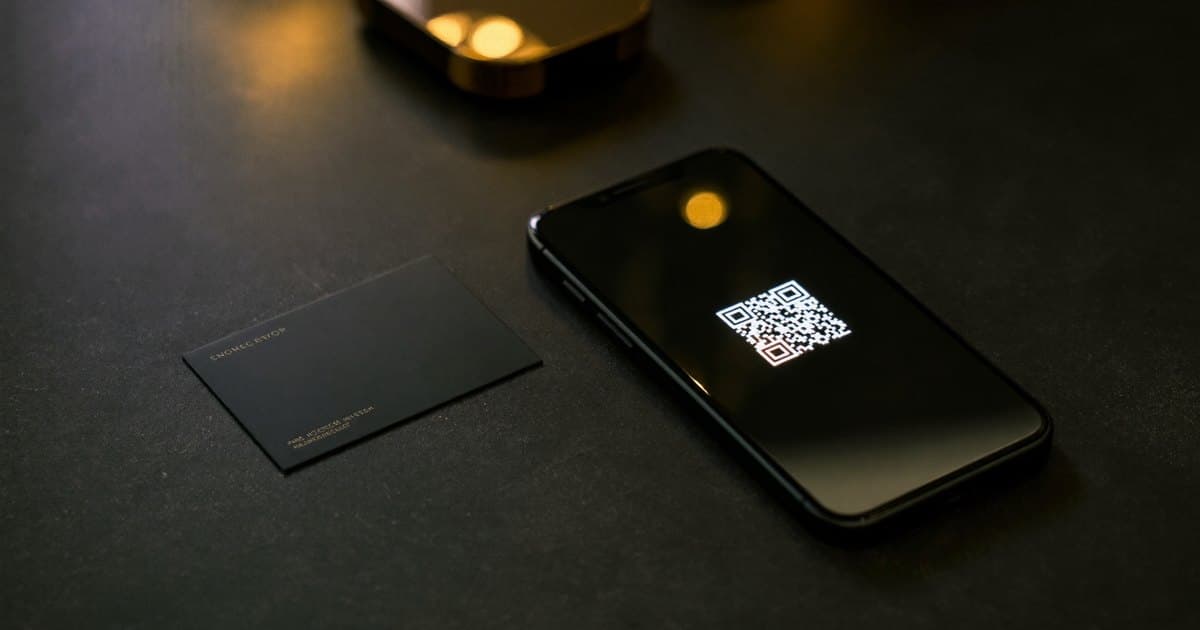
You are at an event, you have just had a good conversation, and now comes the moment that decides whether it leads anywhere: handing over your details. You could fumble for a paper card, or you could pull out your phone and let theirs do the work. The second option splits into two technologies that look similar from the outside but behave quite differently in your hand—NFC and QR.
If you are weighing an NFC vs QR code business card, the honest answer is that one is not simply "better" than the other. Each wins in different situations, and the gap between them is smaller than the marketing suggests. This guide walks through how each one actually works, which phones support them, how they compare on speed, reliability, and cost—and why the smartest cards have stopped making you pick.
The short version
For a one-to-one handoff—you and one other person, phone to phone—NFC tends to feel faster and more impressive: hold the card near their phone and your profile appears, no aiming required. For sharing with a group, a screen, or a poster, a QR code wins, because several people can scan the same code at once from a comfortable distance.
The catch is that this is a false choice. A well-made digital card carries both, so you never have to guess which one the moment in front of you calls for. Keep reading for the detail behind that conclusion.
How an NFC business card works
NFC stands for Near Field Communication—the same short-range wireless standard behind tap-to-pay at the checkout. An NFC card has a tiny passive chip embedded inside it. "Passive" means there is no battery and nothing to charge: the chip borrows the small amount of power it needs from the other phone's NFC reader for the split second they are close together.
That chip stores one thing—a link to your digital profile. When someone holds their phone within a centimetre or two of the card, the phone reads that link and offers to open it. They tap the notification, your profile loads in their browser, and they can save your details to their contacts. The whole exchange takes a couple of seconds, and the first time someone sees it, it genuinely reads as a small piece of magic.
A few things make NFC feel as smooth as it does:
- No aiming. There is no camera to line up. The reader works in any orientation, in the dark, with the card in a wallet or behind a phone case.
- No app on either side. The other person uses the browser they already have. You manage your profile from a normal web dashboard.
- It works at the speed of a handshake. You can hand someone the card, they tap, and the conversation barely pauses.
The trade-off is that NFC is intimate by design. Its range is deliberately tiny—a security feature inherited from contactless payments—so it is a one-to-one tool. You cannot tap a card against a crowd, and the other person has to actively bring their phone to it.
How a QR code business card works
A QR code is the square pattern your phone camera reads without any special app. Point the camera at it, a notification appears offering to open the link, and you are on the same profile an NFC tap would have loaded. The code is simply a visual encoding of that same web address.
The defining property of a QR code is reach. It works from across a table, from a slide on a screen, from a poster on a wall, or from a sticker on a shop window. Several people can scan the same code at the same time. That makes QR the natural choice whenever you are sharing to more than one person, or when you cannot physically hand your card to everyone—on a name badge at a conference, on the final slide of a presentation, on the side of a delivery van.
QR has its own friction, though, and it is worth being honest about it:
- It needs line of sight and light. The camera has to see the code clearly. A dim room, a glare on a glossy surface, or a code printed too small can all cause a failed scan.
- It takes a beat longer. The other person has to open their camera, frame the code, wait for it to focus, and tap the prompt. Seconds, not minutes—but more steps than a tap.
- It can feel less personal. Asking someone to photograph a square is functional; tapping phones together has a little more warmth to it.
Neither of these is a dealbreaker. A clear, well-sized QR code scans reliably almost everywhere, which is exactly why it remains the universal fallback.
Device compatibility: which works on more phones?
This is where a lot of the "NFC vs QR" debate quietly resolves, because the two are closer than people assume.
QR codes work on essentially every smartphone made in the last decade. Any phone with a camera can scan one, and on modern iPhones and Android devices the camera app reads codes natively, with no separate scanner app. If universal reach is your only concern, QR is the safest bet.
NFC is now nearly universal too, but not quite. Every iPhone from the XS (2018) onward reads NFC tags from the standard camera-free background reader, and the overwhelming majority of Android phones sold in the past several years support it as well. The gaps are narrow: a small number of budget Android models ship without an NFC chip, and NFC can be switched off in a phone's settings. When you tap and nothing happens, it is almost always one of those two reasons—not a fault with the card.
So the realistic picture is: QR reaches a few more phones at the very edges, while NFC reaches the vast majority and feels faster on the phones it does reach. For most professional audiences in 2026, both land for nearly everyone you meet. The remaining sliver is exactly why carrying both matters.
Speed and reliability head to head
If we line them up on the two things that decide a handoff—how fast it is and how often it just works—the comparison looks like this.
Speed
For a direct, person-to-person exchange, NFC is the quicker of the two. There is no camera to open and no code to frame; the other person brings their phone to the card and your profile is already loading. It compresses the awkward "let me get your details" moment down to almost nothing.
QR is a touch slower because of the extra steps—open camera, aim, focus, tap—but it scales in a way NFC cannot. Ten people can scan a code on a screen in the time it would take you to tap ten phones one by one. So "faster" depends entirely on whether you are sharing with one person or many.
Reliability
NFC is remarkably consistent in the right conditions, because it ignores light, angle, and distance beyond its short range. It struggles only when the other phone lacks a chip, has NFC disabled, or—occasionally—when a thick metal case interferes with the read.
QR is the more forgiving fallback precisely because its failure modes are easy to fix on the spot: if a scan does not catch, you move into better light, hold steadier, or step closer. Where NFC either works or it does not, a stubborn QR scan usually just needs a small adjustment.
Put plainly: NFC is faster and more reliable one-to-one; QR is more universal and the better safety net. This is the heart of why the best answer is not to choose.
Cost: is one more expensive than the other?
The cost question splits into two parts: the card itself, and any ongoing fee behind it.
A printed QR code costs almost nothing to produce—it is just ink. You can put one on a standard paper card, a sticker, or a screen for free. An NFC card costs more to manufacture, because there is a real chip and antenna embedded inside it, and the materials people want for a premium card (matte PVC, metal, wood) add to that. So at the level of the physical object, QR is cheaper and NFC is the premium hardware.
The part that matters far more, though, is the subscription behind whatever the code or chip points to. The link itself—whether tapped or scanned—leads to a digital profile, and some providers charge a recurring monthly fee just to keep that profile online. That ongoing cost dwarfs the one-time price of the card, NFC or otherwise. When you compare options, look past the chip and ask what it costs to keep the destination alive over a few years. A card with a permanent, re-pointable link and no rent on your own contact page is worth far more than a cheap one that holds your profile hostage.
If you want to dig into how a chip-based card is built and priced across materials, what an NFC business card is and our breakdown of NFC card materials both go deeper than there is room for here.
When to use which
Rather than declaring a winner, here is how the two map onto real situations.
Reach for NFC when…
- You are sharing one-to-one—a meeting, an introduction, a sales conversation across a table.
- You want the exchange to feel effortless and a little memorable. The tap is a small moment of theatre that makes you stand out.
- You are handing over a physical card anyway and want the other person's phone to do the typing.
Reach for QR when…
- You are sharing with a group or an audience—a slide, a webinar, a workshop.
- The code lives on a surface people approach themselves: a name badge, a poster, a window decal, a table stand.
- You cannot guarantee the other person's phone has NFC, and you want the broadest possible reach.
A note on contact saving
Whichever route a person takes to your profile, the action that actually matters is saving you to their phone. Both NFC and QR should land them on a page with a clean "save to contacts" button that drops your full details—name, role, numbers, email, links—into their address book in one go. The transport (tap or scan) is just the doorway; the digital business card behind it is what makes the contact stick.
Why you shouldn't have to choose: cards that carry both
Here is the conclusion the whole comparison has been building toward: framing this as "NFC vs QR" is a little like asking whether a car should have a steering wheel or brakes. They solve different parts of the same problem, and a serious card includes both.
Every VIPKART card pairs an NFC chip with a QR code, both pointing to the same digital profile. In practice that means you stop thinking about the technology entirely. Across a table from one person, you offer the tap. In front of a room, on a badge, or with someone whose phone will not cooperate, you fall back to the scan. The same card covers both, so there is no scenario where you are caught with the wrong tool—and no moment where a missing chip or a switched-off setting costs you a contact.
It also future-proofs you. Phone makers keep widening NFC support, and QR has been universal for years; carrying both means you are covered on every device on the market today and the ones coming next. The link behind it all stays the same even if you update where it points, so the card you hand over this year still works years from now.
If you are still deciding whether to move off paper at all, digital vs paper business cards lays out that comparison, and our overview of what a digital business card is covers the fundamentals beneath all of this.
Frequently asked questions
Is NFC or QR better for a business card?
Neither is universally better—they suit different moments. NFC is faster and feels more premium for one-to-one handoffs; QR reaches more devices and works for groups, screens, and posters. The strongest option is a card that includes both, so you never have to pick the wrong one for the situation in front of you.
Do all phones support NFC tapping?
Almost. Every iPhone from the XS (2018) onward and the large majority of Android phones from the past several years read NFC tags natively, with no app and usually no setup. A small number of budget Android models lack a chip, and NFC can be turned off in settings—which is why a good card also carries a QR code as a fallback.
Is a QR code less professional than NFC?
Not at all. QR codes are everywhere now and entirely normal to use. NFC simply has a slight edge in the "wow" factor of a personal handoff because tapping two phones together feels more immediate than asking someone to photograph a square. Both lead to exactly the same profile.
Can one card have both NFC and a QR code?
Yes, and the best ones do. The NFC chip and the printed QR code point to the same digital profile, so a recipient can either tap or scan depending on their phone and the setting. Every VIPKART card is built this way for precisely that reason.
Does using NFC or QR cost a monthly fee?
The tap and the scan themselves are free—they are just ways of opening a link. The cost to watch for is a subscription on the profile that link leads to. Some providers charge monthly rent to keep your contact page online; a well-made card uses a permanent, re-pointable link without locking your own details behind an ongoing fee.
Which is more reliable in the real world?
NFC is extremely consistent one-to-one because it ignores light and angle, failing only when a phone lacks a chip or has NFC disabled. QR is the more forgiving fallback because a failed scan is usually fixable on the spot with better light or a steadier hand. Together they cover each other's blind spots, which is why carrying both is the most reliable setup of all.
Stop choosing—carry both
The NFC-versus-QR debate has a tidy answer once you stop treating it as a contest: each technology owns a slightly different moment, and the only way to lose is to carry just one of them. Tap for the personal handoff, scan for the crowd, and let a single card cover every phone in the room.
If you would rather never think about which one to reach for, take a look at the VIPKART digital business card—NFC and QR in one card, pointing to one profile, ready for whichever moment finds you next.
Ready to make a card people keep?
Tap to share, save in seconds, and update your details for life.
Explore VIPKART