



What Is an NFC Business Card and How Does It Work?
An NFC business card shares your details with one tap—no app, no typing. Learn how the chip and NDEF link work, which phones support it, how to set yours up, and whether tapping is safe.
By VIPKART · Published June 20, 2026 · 13 min read
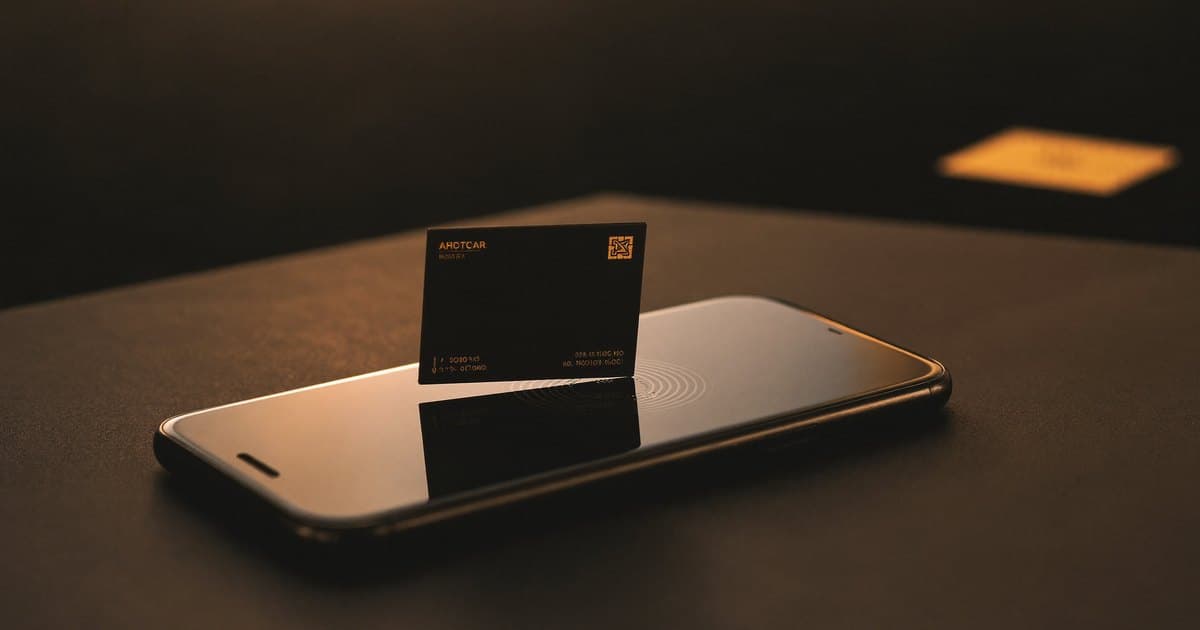
The first time you watch someone tap a card against a phone and see a profile spring open a second later, it looks like a trick. There is no cable, no Bluetooth pairing screen, no app to download. The card just sits there, and yet it does something. The technology behind that small piece of theatre is NFC, and it has quietly become the cleanest way to hand someone your details in person.
This guide explains what an NFC business card actually is, how the chip inside it works, what happens in the moment of the tap, and the questions everyone asks once the novelty wears off—which phones support it, whether you need an app, and whether tapping is safe. For the broader picture of digital cards in general, our complete guide to digital business cards is the place to start; this article goes deep on the NFC part specifically.
What is an NFC business card?
An NFC business card is a physical card—often in the same wallet-friendly format as a paper one—with a tiny wireless chip embedded inside it. When someone holds their phone close to the card, the phone reads the chip and opens a web link, almost always a link to your online profile. From there they can see your contact details and save them to their phone with a single tap.
NFC stands for Near Field Communication. It is the same short-range wireless standard that powers contactless payments at a checkout and the public-transport cards you tap on a turnstile. The card and the phone communicate only when they are within a few centimetres of each other, which is exactly why "tap to share" feels so deliberate: nothing happens until you bring the two together.
The card itself is not the clever part. The chip holds a single piece of information—a URL. The intelligence lives in the profile that URL points to. That separation is what makes an NFC card so flexible: the card stays the same forever, while the page behind it can change as often as you like.
NFC card vs. digital business card—what is the difference?
People use these terms loosely, so it helps to be precise. A digital business card is the broader idea: an online profile that shares your details electronically instead of on paper. An NFC business card is one way of delivering that profile—a physical card that triggers it with a tap. NFC is the mechanism; the digital profile is the destination. Most quality NFC cards also carry a QR code so people without NFC can scan their way to the same profile. We compare the two directly in NFC vs. QR code business cards.
How does the NFC chip work?
An NFC business card is wonderfully simple once you look inside. Only three components do any real work: the chip, the antenna, and the phone.
The chip and the antenna
Embedded in the card is an NFC tag—a microchip connected to a thin coil of wire that loops around the inside of the card. That coil is the antenna. The chip is small enough that you never feel it through the card, and it stores only a tiny amount of data, typically a web address pointing to your profile.
Here is the part that surprises most people: the card has no battery. It never needs charging, never runs out, and will still work in ten years sitting in a drawer. The chip is passive—it draws all the power it needs from the phone that reads it.
What is actually stored on the chip: the NDEF record
It is worth pausing on the data itself, because this is where NFC does something elegant. The chip does not store a vague blob the phone has to guess at. It stores a small, standardised structure called an NDEF record—NFC Data Exchange Format, the common language every NFC phone agrees to read.
An NDEF record carries a type and a payload. For a business card, the type is "URI" (a web link) and the payload is your profile address—something like vipkart.eu/yourname. Because the record announces itself as a web link, the receiving phone knows immediately what to do: offer to open it in the browser. No app interprets it, no custom software decodes it. The format is the agreement, which is why a card programmed once works on an iPhone, a Samsung, and a budget Android alike.
A well-made card is also locked after it is written, so the NDEF record becomes read-only: the link can still be read endlessly but can no longer be overwritten by a stray or malicious phone. This is a detail we return to under security.
The tap, step by step
When you bring a phone near the card, the following happens in well under a second:
- The phone's NFC reader emits a small electromagnetic field as it scans for nearby tags.
- That field induces a current in the card's antenna coil—enough to briefly power the chip awake. No battery required.
- The now-powered chip transmits the NDEF record it holds—your link—back to the phone.
- The phone recognises the URI record and shows a notification offering to open the link.
- The person taps the notification, your profile loads in their browser, and they save your contact in one more tap.
This is called inductive coupling—the same principle wireless phone chargers use, at a much smaller scale. The short range is not a limitation to work around but a deliberate safety feature of the standard: because the chip only responds within a couple of centimetres, you cannot accidentally trigger a card from across a room, and no one can read it without you knowing.
Why the link matters more than the card
Because the chip stores only a URL, the card is a permanent pointer. With a well-built platform, that link never changes even when everything behind it does. Rewrite your job title, swap your phone number, add a portfolio piece, or redirect the whole profile—and every card you have ever handed out keeps working, now showing the updated information.
This is the quiet advantage of NFC over print. A paper card is frozen the moment it leaves the printer; an NFC card is a live connection to a page you control.
NFC vs. QR vs. app-based cards
There are three ways to deliver a digital profile in person: tap an NFC card, scan a QR code, or ask the other person to open an app. They are not equally good, and the differences show up exactly at the awkward moment of an introduction.
| NFC card (tap) | QR code (scan) | App-based card | |
|---|---|---|---|
| What the other person does | Holds phone near card | Opens camera, points, taps banner | Downloads and opens an app |
| App required for them? | No | No | Yes |
| Works on most modern phones | Yes | Yes (any camera) | Only if they install it |
| Works on very old / no-NFC phones | Via the QR fallback | Yes | Often no |
| Speed of the exchange | Fastest—one motion | Fast—two or three steps | Slowest—install first |
| Feels premium in person | Yes | Functional | No |
| Works in low light / bad angles | Yes | Sometimes struggles | N/A |
| You can update info later | Yes | Yes | Depends on app |
The honest summary: NFC is the smoothest experience when the other person has a recent phone, QR is the universal safety net for anything with a camera, and app-based cards add friction where you can least afford it. The strongest setup is not choosing between NFC and QR but having both on one card—which is why every serious card pairs the two. We dig deeper in NFC vs. QR code business cards and do NFC business cards need an app.
Do you need an app for an NFC business card?
No—and this is worth stating plainly, because it is the most common misconception. Neither you nor the person you share with needs to install anything for the tap to work.
For the person receiving your card, the experience is entirely app-free. They tap their phone, a notification appears, and your profile loads in their normal browser—Safari, Chrome, whatever they already use. The "save to contacts" button then writes your details into their address book using a vCard, a standard contact file every phone understands. They never leave their browser and never visit an app store.
As the card owner, you manage your profile through a web dashboard, also in a browser—editing details, choosing links, checking performance, all without an app on your phone either. The whole point of NFC is to remove friction at the moment of introduction, and a forced app download would defeat that. Anyone who tells you their NFC card requires the other person to install something has built it wrong.
Which phones support NFC business cards?
Compatibility is broader than people assume. NFC has been standard on smartphones for years, so the overwhelming majority of phones you will meet in the wild can read an NFC card today.
iPhone
Every iPhone from the iPhone XS, XR, and 11 onward reads NFC tags in the background, with no app and no settings to change. Hold the top of the iPhone near the card and a notification banner appears automatically. Older models—the iPhone 7, 8, and X—have NFC hardware, but it requires opening a reader, so background tapping is not seamless on those. In practice, anyone with an iPhone from the last several years just taps and it works.
One habit worth knowing: the iPhone's NFC reader sits at the very top edge of the device. If a tap does nothing, it is usually because the person held the middle of the phone to the card. Slide the top edge over instead and the banner appears.
Android
NFC has been common on Android since well before it reached iPhone, and the vast majority of modern Android phones support it natively. The feature is usually on by default; if a tap does nothing, it is almost always because NFC has been switched off in the quick-settings panel and can be re-enabled in seconds. The Android antenna often sits nearer the centre or upper-back of the phone, so the sweet spot differs slightly from iPhone—a small wiggle finds it. A small number of budget handsets ship without an NFC chip, the one case where tapping genuinely will not work.
What to do if a phone has no NFC
If someone's phone has no NFC chip, or it is switched off and they would rather not dig through settings, the moment stays smooth. This is exactly what the QR code on the card is for: they open the camera, point it at the code, and land on the identical profile. The fallback is built in by design, not bolted on as an afterthought.
This is precisely why good NFC business cards always include a QR code. Between the two, you are covered for essentially everyone, and you never have to ask which phone someone has before sharing.
If a card that should work refuses to, the cause is nearly always one of a handful of fixable things—the wrong part of the phone, NFC toggled off, or a case that is too thick. We walk through every cause in NFC business card not working.
How to set up and use an NFC business card
Setting up an NFC card is simpler than people expect, because the hard part—programming the chip—is usually done for you. Here is the whole flow from a fresh card to a working tap.
- Build your profile first. You create your digital profile in the dashboard: name, role, phone, email, and the links you want to feature—LinkedIn, a booking page, a portfolio, a "WhatsApp me" button. This is the page every tap opens, so it is worth getting right.
- Get the link onto the chip. With a managed card the chip arrives already programmed to your link, so there is nothing to do. Writing your own tag means using a free NFC writer app to save your profile URL as an NDEF record, then locking the tag so it stays read-only.
- Test the tap. Hold a phone over the card—top edge for iPhone, near the centre-back for many Androids—and confirm your profile opens.
- Share it in the wild. Offer the card and say "tap your phone here." Their banner appears, your profile opens, they hit save, and you are in each other's contacts before the small talk is over.
Because your link stays fixed, you only do this setup once; editing details later happens entirely on the profile, never on the card. For the full walkthrough, see how to set up an NFC business card; if you are starting from zero, how to create a digital business card covers building the profile, and how to share a digital business card covers every way to hand it over.
Are NFC business cards safe?
The reassuring answer is yes, and why comes down to what the card actually stores. We go deeper in are NFC business cards safe, but here is the essential picture.
The card holds a link, not your data. Your name, number, and email do not live on the chip—they live on your online profile. The chip stores only the URL that opens it. So if you lose your card or someone copies the tag, all they have is a public web link, the same one you hand to everyone you meet. There is nothing private on the card to steal.
It cannot be read without your knowledge. Because NFC works only at a couple of centimetres, no one can quietly read your card from a pocket or across a table—the phone and card have to be deliberately brought together. The short range that makes tapping feel intentional is also what makes it secure.
The chip cannot run software. An NFC tag is a passive store of text. It cannot execute code, install anything, or "infect" a phone. When someone taps it, their phone simply offers to open a web link—and always asks first, exactly as it would for any link in a message.
There is no payment data on the card. Unlike the contactless chip in a bank card, a business card's tag carries no financial information—no card number, no balance, nothing chargeable. Once locked it is read-only, so it cannot be reprogrammed to point somewhere malicious after it leaves your hands. The worst case for a stolen card is a stranger seeing the same public profile you already share freely.
Your data security depends on the platform, not the card. Since your details sit on a hosted profile, the meaningful question is who hosts it and how. A serious provider keeps that data encrypted, lets you update or delete it at any time, and complies with privacy law. For European professionals, data residency matters too—read how we handle it on our data security page and in our guide to GDPR-compliant digital business cards.
The short version: an NFC card is safer than a paper one. A paper card prints your details for anyone to read and keep; an NFC card shares only what you choose to publish, and lets you change your mind later.
Use cases by profession
NFC cards spread so quickly because the tap solves a different problem for everyone, depending on what happens after the introduction.
- Sales and account managers live on follow-up, and a tapped profile gets their booking link and direct line into the other person's phone before the meeting ends—no transcription, no lost cards. Paired with disciplined networking follow-up, a handshake becomes a pipeline.
- Real estate agents meet dozens of people at open houses and need to be reachable instantly; one tap hands over their listings, calendar, and contact in a single motion. See digital business cards for real estate.
- Restaurants, cafés, and salons care less about contact details and more about reputation. For them the tap leads straight to a review request—the whole idea behind a Google review NFC card, which works the same way for salons and restaurants.
- Teams and whole companies benefit from consistency: every employee carries the same branded card, and details update centrally when someone changes role. See digital business cards for teams.
- Consultants, founders, and freelancers use the tap to lead with their best work—a portfolio, a case study, a calendar link—rather than a flat phone number.
In every case the chip is identical—and it works inside almost any material: PVC, wood, metal, recycled card stock. The format you choose is about how the card feels in the hand and what it signals, not whether the tap works. A metal card carries weight and seriousness; bamboo and recycled stock lean into eco-friendly values; classic PVC is the practical all-rounder. If you want to compare them, NFC business card materials compared breaks it down. What changes between professions is only the destination, and that is entirely under your control.
Frequently asked questions
Do NFC business cards need to be charged?
No. The chip is passive and has no battery. It harvests the small amount of power it needs from the phone reading it, so an NFC card works indefinitely and never needs charging or replacing because of a flat battery.
Does the other person need an app to receive my card?
No. They tap their phone, a notification appears, and your profile opens in their normal browser. Saving your contact takes one more tap and uses a standard vCard file. Nothing is installed on either person's phone.
Which iPhones can read an NFC business card?
The iPhone XS, XR, 11, and every model since read NFC tags automatically in the background—just hold the top of the phone near the card. Models from the iPhone 7 to the iPhone X have the hardware but need a reader opened first, so the experience is less seamless on those older devices.
What if someone's phone does not support NFC?
A quality NFC card also carries a QR code. Anyone with an older phone, NFC switched off, or a handset without an NFC chip simply scans the code with their camera and reaches the same profile. Between tapping and scanning, you can connect with virtually anyone.
How do I program my NFC business card?
With a managed card the chip arrives already programmed to your profile link, so there is nothing to do. If you write your own tag, you use a free NFC writer app to save your profile URL as an NDEF record and then lock the tag so it stays read-only. After that you only ever edit the profile, never the card.
Can someone steal my information by tapping my NFC card?
No. The card stores only a public web link, not your personal data, and it can only be read from a couple of centimetres away. It carries no payment information of any kind. Your details live on a profile you control and can update or remove at any time, so a lost or copied card exposes nothing private.
Can I reuse the card if I change jobs?
Yes, provided your link stays the same on the platform. You update the profile behind the card—new title, new company, new number—and the card keeps working with your current details. There is no need to reprint or re-program anything.
Tap once, get remembered
An NFC business card takes the most ordinary moment in professional life—exchanging details—and makes it feel effortless and current. A chip with no battery, an NDEF link that never expires, and a profile you control: that is the whole of it. No app to download, support across nearly every modern phone, a QR fallback for the rest, and a security model genuinely stronger than the paper card it replaces.
If you want to feel the tap for yourself, explore the VIPKART NFC digital business card—one tap to share, saved in seconds, and yours to update for life. The best introduction is the one the other person never has to think about.
Ready to make a card people keep?
Tap to share, save in seconds, and update your details for life.
Explore VIPKART