



Do NFC Business Cards Need an App? (No — Here Is Why)
No app is needed to tap an NFC business card—the reader is built into every modern iPhone and Android. And a good card needs no app for the owner either. Here is exactly why, and how app-based cards differ.
By VIPKART · Published June 20, 2026 · 8 min read
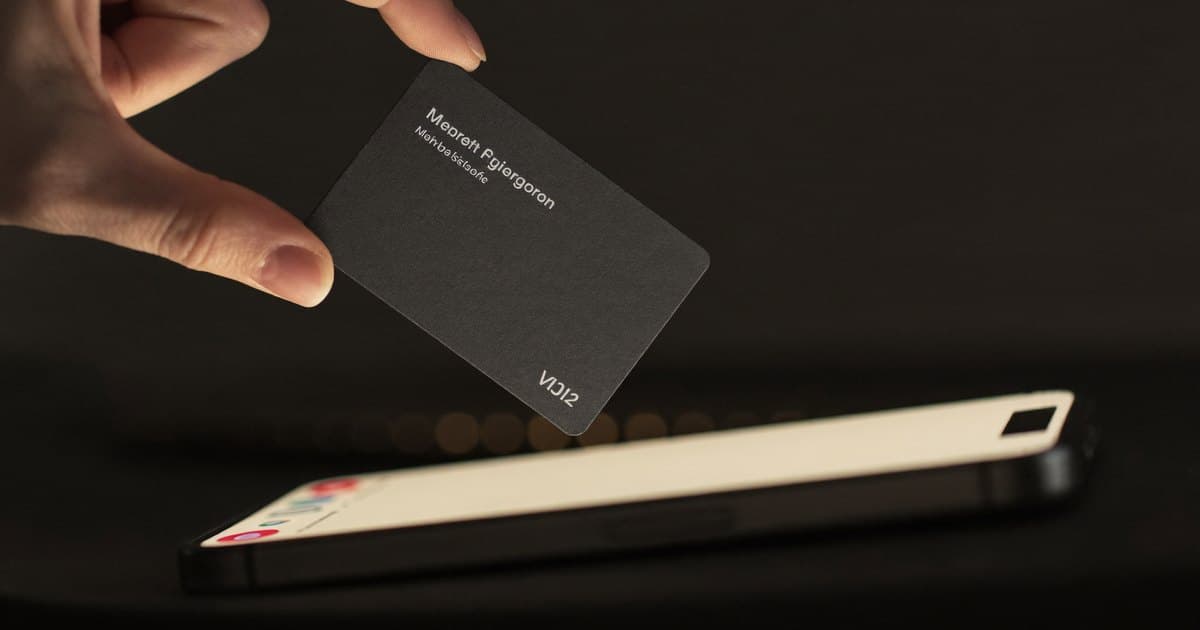
It is the most common question we get before someone buys their first NFC card, and it usually arrives with a slightly suspicious tone: "So the person I'm handing this to has to download something first, right?" The honest answer is no. Nobody downloads anything. Not the person tapping, and—if you choose the right kind of card—not you either.
That answer surprises people, because we are conditioned to expect friction. Every new gadget seems to come with an app, an account, and a permissions prompt. NFC business cards break that pattern, and the reason they can is worth understanding properly. Once you see how the tap actually works, you stop worrying about it and start using the card the way it is meant to be used: pull it out, tap, done.
This article answers the app question from both sides—the person receiving your details, and you, the card owner—and then explains why some cards still try to push an app on you anyway.
The short answer, split in two
There are two different people involved when an NFC card gets used, and the app question is different for each.
The person tapping your card needs no app, full stop. The ability to read an NFC tag is built directly into the operating system of every modern smartphone. iPhones have read NFC tags automatically since the iPhone XS in 2018. Android phones have done it for even longer. When the chip is read, the phone opens a web link in its normal browser—Safari or Chrome—and your profile appears. There is no install step, no account, no friction.
You, the owner, should not need an app either—if you buy the right card. This is where products diverge. A well-built NFC card points to a web profile you manage in a browser. A poorly designed one ties your profile to a downloadable app that both you and sometimes your contacts are nudged into installing. The technology never requires this. It is a business decision, and usually not one made in your favour.
So the truthful headline is: NFC business cards do not need an app. If a card tells you otherwise, that is the product's limitation, not the technology's.
Why no app is needed to tap the card
To understand why tapping is app-free, it helps to know what is actually on the chip. If you want the full mechanics, our explainer on what an NFC business card is and how it works goes deeper, but here is the essential part.
The chip inside the card is a passive NFC tag. It has no battery and does almost nothing on its own. Stored on it is a small piece of data—typically a URL, something like vipkart.eu/yourname. When a phone comes within a couple of centimetres, the phone's NFC antenna emits a tiny electromagnetic field that powers the chip just long enough for it to transmit that URL back.
This is where the magic of standards comes in. The chip stores the link in a format called NDEF (NFC Data Exchange Format), which every phone understands the same way. The phone's operating system recognises the data as a web address and does the obvious thing: it offers to open it. No app is consulted, because the OS itself handles the read. It is the same reason your phone can read a contactless payment terminal or a transit card without a dedicated app for each one—NFC reading is a core system capability.
So when someone taps your card, the sequence is:
- The phone's field powers the chip.
- The chip sends back your profile URL.
- The OS shows a notification or opens the browser automatically.
- Your profile loads as a normal web page.
At no point does the phone need to know what an "NFC business card" is. It just sees a tag with a link, the way it would see any other. That universality is precisely why no app is required—and why the experience is so reliably smooth across different phones.
What about saving the contact?
A fair follow-up: even if the profile opens in a browser, surely saving the contact needs an app? It does not. A good digital profile offers a "Save to Contacts" button that generates a vCard—a standard .vcf file that every phone's native address book reads natively. The person taps the button, their phone offers to add the contact, and your name, number, email, and company land straight in their contacts.
That whole flow—tap, view, save—happens entirely in the browser and the built-in contacts app the person already has. Nothing new gets installed. If you want to see this in practice, our guide on how to share a digital business card walks through every method, NFC included.
Why you, the owner, should not need an app either
Here is the part that separates a card you will still be using in three years from one you abandon in three months.
When you own an NFC card, you need somewhere to set up and edit your profile—your name, photo, links, the lot. There are two ways a product can offer this:
- A web dashboard. You log in through a browser on any device, make your changes, and they go live instantly. Nothing to install, nothing to update, works on a laptop or a phone identically.
- A proprietary app. You download the company's app, create an account inside it, and can only manage your profile from that app on a supported phone.
The web approach wins on almost every front, and the reasons are practical rather than ideological.
You are never locked to one device. Lost your phone, switched from iPhone to Android, sitting at a desktop? A web profile does not care. An app-based profile makes you reinstall, re-authenticate, and hope your data syncs.
There is nothing to maintain. Apps need updates, break after OS changes, and occasionally vanish from the store when a small company stops supporting them. A web profile you reach by URL keeps working as long as the service runs. We covered the durability angle in our piece on reusable business cards—the whole point of a card you keep is infrastructure that keeps up.
It is faster for the people you meet. This is the one people forget. If your profile lives behind an app and that app ever prompts your contact to install something to view or save your details, you have reintroduced the exact friction NFC was supposed to remove. A web profile shows your contact a clean page in their browser and nothing else.
At VIPKART, the digital business card is built around a web profile precisely for these reasons. You manage it in the browser; the people you meet view it in their browser. The card is the physical key; the profile lives on the open web where it belongs.
So why do some cards push an app at all?
If apps are unnecessary, why do so many NFC card companies build them? A few honest reasons, and a couple of less honest ones.
Lock-in. An app is a moat. Once your profile, your contacts, and your saved leads live inside a proprietary app, switching providers means losing all of it. A web profile gives you portability; an app quietly takes it away. Some companies prefer the moat.
Upsells and notifications. An installed app is a channel. It can send you push notifications, surface premium upgrades, and keep you engaged with the brand. A browser bookmark does none of that. For a company whose business model depends on recurring engagement, the app is the product as much as the card is.
Lead capture and analytics gating. Some genuinely useful features—seeing who scanned your card, capturing leads at an event—get bundled into the app as a reason to install it. The features are real; the app requirement usually is not. The same data can be presented in a web dashboard. When an app is the only way to see your own analytics, that is a design choice aimed at retention, not a technical necessity.
None of this is automatically sinister. Some app-based cards are well made and people are happy with them. But you should know that the app is there to serve the company's goals at least as much as yours, and that the underlying NFC technology never demanded it. If a salesperson tells you an app is "required for the card to work," they are, at best, being imprecise.
How to tell what you are actually buying
Before you buy, three quick questions cut through the marketing:
- Can the person I tap see my profile without installing anything? The answer should be an unambiguous yes. If there is any "download our app to view" step for your contacts, walk away—that defeats the entire purpose.
- Can I edit my profile from a normal web browser? If editing requires their app, you are tied to their ecosystem and your chosen phone.
- If the company disappears, what happens to my card? A web-based profile on a stable provider is far more resilient than a profile that only exists inside an app that needs ongoing maintenance.
If you want help comparing providers on these and other criteria, our roundup of the best digital business cards in Europe weighs them up, including the app-versus-web question and where each company lands.
A quick note on Android and "NFC enabled"
One small thing that occasionally trips people up, and it is not an app issue. On most Android phones, NFC reading is on by default, but on some it can be switched off in settings. If a tap does not register, it is usually because NFC is disabled on the phone, the phone is being held at the wrong spot (the antenna is often near the top or centre of the back), or a thick case is in the way. None of that is solved by an app—it is solved by turning NFC on or adjusting how the phone is held. If you ever run into a card that will not read, our troubleshooting guide for NFC cards that aren't working covers the fixes.
iPhones do not even have an "NFC for reading" toggle to worry about; tag reading is always available in the background on supported models. That is part of why the experience feels so effortless on Apple devices.
Frequently asked questions
Does the person I tap need to download an app?
No. NFC tag reading is built into the operating system on every modern iPhone (XS and newer) and on Android phones. When they tap your card, your profile opens in their normal browser. There is nothing to install and no account to create.
Do I need an app to set up my own NFC business card?
Not if you buy a web-based card. The best NFC cards let you create and edit your profile in any browser. Some cards do require their own app to manage your profile—that is a product limitation, not something the NFC technology requires. We recommend choosing a web-managed card so you are never tied to one phone or platform.
Can someone save my contact details without an app?
Yes. A good profile includes a "Save to Contacts" button that generates a standard vCard file. The person's phone reads it with the contacts app they already have built in, so your details save with one tap and no installation.
Why do some NFC cards still have an app then?
Usually for the company's benefit rather than yours—lock-in, push notifications, upsells, and gating analytics behind an install. The features bundled into those apps can almost always be delivered through a web dashboard instead. An app is rarely a technical requirement.
Does NFC need to be turned on?
On iPhones, tag reading is always available on supported models with no setting to toggle. On Android, NFC is usually on by default but can be switched off in settings—if a card won't read, that is the first thing to check, not an app.
Will my card stop working if the company shuts down its app?
If your profile depends on a proprietary app, that is a genuine risk. A web-based profile that you reach by URL is far more durable, because it does not rely on an app store listing being maintained. This is one of the strongest arguments for choosing a web-managed card.
The bottom line
NFC business cards do not need an app. The person tapping uses the reader already built into their phone and sees your profile in their browser. And you, the owner, should not need one either—a card built around a web profile gives you a manage-anywhere setup with nothing to install, update, or be locked into. When a card insists on an app, that requirement serves the company more than it serves you.
If you would rather skip the app entirely and hand people a tap that just works, take a look at the VIPKART digital business card. Web profile, no app for you, no download for anyone you meet—exactly the way NFC was meant to feel.
Ready to make a card people keep?
Tap to share, save in seconds, and update your details for life.
Explore VIPKART