



How Restaurants and Cafes Can Get More Google Reviews
A practical playbook for getting more Google reviews for restaurants and cafes—table cards, receipt QR codes, NFC tap at the counter, the right timing, and staff scripts that actually work.
By VIPKART · Published June 20, 2026 · 9 min read
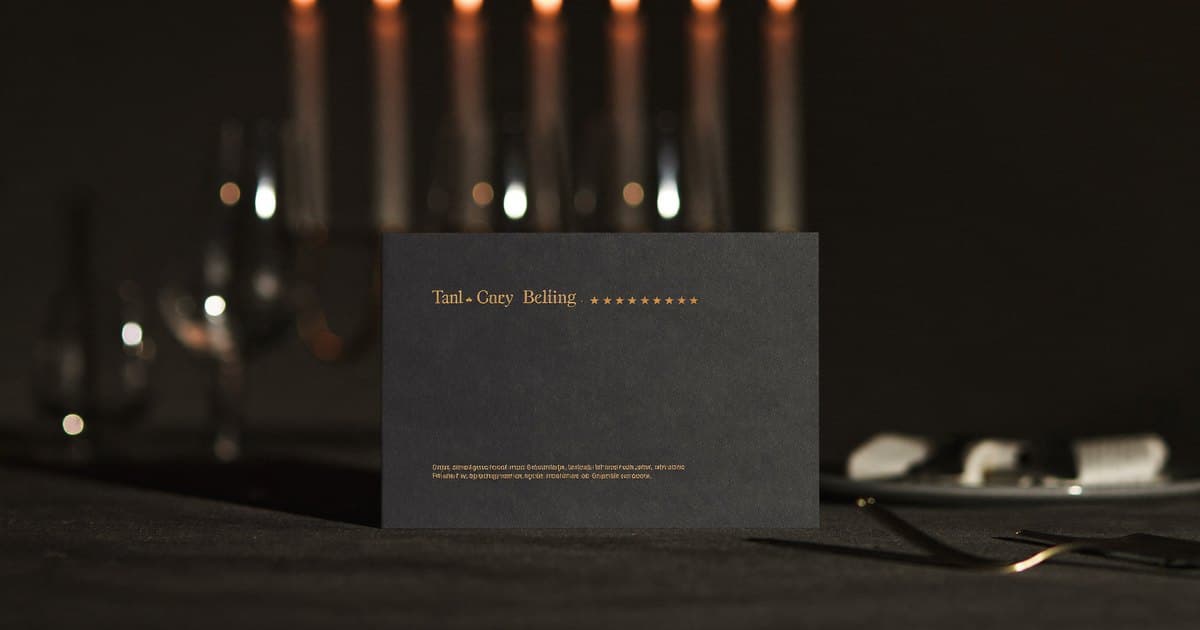
Ask any restaurant owner why their Google rating is not higher, and the honest answer is rarely "the food." Most of your guests leave happy. They tell the server it was lovely, they mean it, and then they walk out into the rest of their evening—and the review they would gladly have written never gets written. The gap between a satisfied diner and a posted review is where almost all of your reputation quietly leaks away.
This guide is about closing that gap in a restaurant or café specifically. Not generic advice about "engaging your customers," but the concrete tactics that fit the rhythm of a service: where to put a review card, when your staff should mention it, what they should actually say, and how to make the whole thing run without anyone having to think about it. The single most effective tool in that toolkit is a tap-to-review card at the table or counter, so we will spend real time on that. But the mechanics around it matter just as much, so let's start with why this is worth getting right.
Why Google reviews decide who walks in next
For a restaurant, your Google listing is the modern shop window. Someone three streets away types "brunch near me" or "best ramen [your town]," and Google shows them a short list ranked partly on your reviews—how many you have, how recent they are, and your average score. That list is where the decision happens. A place with 340 recent reviews at 4.6 stars gets the booking; the equally good place next door with 38 reviews from two years ago does not.
Two things move that needle, and the card-based approach below targets both:
- Volume and recency. Google's local ranking leans on a steady, current stream of reviews, not a pile from your opening month. Forty fresh reviews this quarter signals a busy, trusted room far better than 400 that all stopped in 2023.
- The first read. Even after you rank, the new diner scrolls your recent reviews before deciding. A wall of detailed, recent, positive feedback closes the sale that your ranking only opened.
The problem was never that diners are unhappy. It is that the path from "that was great" to a posted review is long enough to lose almost everyone. Your job is to make that path two seconds long, at the exact moment the feeling is strongest.
Timing is the whole game
If you take one idea from this article, take this: the review impulse has a half-life measured in minutes. Right after the last bite, while the table is relaxed and full and the phones are already out, a diner is as warm toward you as they will ever be. An hour later they are home and the moment has dissolved.
So every tactic that follows is really about catching the guest inside that golden window. In a restaurant, that window has a precise location: the bill. The moment the check lands is when satisfaction peaks and the phone comes out anyway to pay. Everything you place near the bill, and everything your staff say while presenting it, is what converts a happy table into a review. A café has a slightly different shape—people order at a counter and linger—so the peak moment is the handoff at the till or the table they settle into afterward. We will cover both.
The hero tool: an NFC tap-to-review card
The most reliable way to collapse that path to two seconds is a review card—a small card with a wireless chip inside that points straight at your Google "write a review" page. The guest taps it with their phone, the review form opens instantly, they choose five stars and type a sentence, done. No app to download, no searching Maps for your name among three similar ones, no scrolling past photos to find the review button. The six steps that quietly lose most of your fans are simply deleted.
If you are new to the technology, what is a Google review NFC card walks through exactly how the tap works and what is stored on the chip (a single link—nothing personal). The short version: it is the same contactless technology you already trust at the card machine, and it works on iPhones from the XS onward and virtually every modern Android.
Why a tap card beats every other method in a restaurant comes down to three things:
- It rides the moment. A server can hand it over with the bill, in the same motion, while the guest is at their warmest. There is no "later" for the diner to forget about.
- It feels like a small delight, not a chore. The first time someone taps a card and watches the page appear, there is a tiny spark of "oh, neat." That novelty is part of why people actually follow through instead of nodding and ignoring a sign.
- It removes the friction that kills conversion. Every step between the impulse and the posted review loses people. The tap removes all of them at once.
A well-made card is a one-time purchase that works for years, with no monthly fee just to keep the link alive—be wary of services that charge a recurring subscription for the tap itself. And because the data lives in the link rather than the ink, a quality card can be re-pointed from a dashboard if your listing ever changes. If you are weighing the tap against a printed code on a stand, Google review card vs QR stand compares them honestly.
Card at the table vs. card at the counter
Two formats cover most restaurants and cafés:
- A handoff card the server carries and presents with the bill. This converts best because it pairs the tap with a human ask at the perfect moment. Best for sit-down service.
- A standing card that lives on the table or by the till—a small tent or block guests can tap unprompted. This catches the people no one got around to asking, and works beautifully for counter-service cafés where there is no "bill moment."
Most places that take this seriously use both: a stand for ambient capture, a handoff card for the personal close. The handoff is where the volume comes from.
Tactic by tactic: where reviews actually come from
1. The table tent or counter card
Put a small stand on every table, or one prominent block at the counter. Keep the message to a single line—"Enjoyed it? Tap to review"—with the tap target and a QR code on the same card. This is your passive layer: it works while your staff are busy, and it primes guests before the server even mentions it, so the ask feels expected rather than out of the blue.
For cafés especially, the counter card by the card machine is the workhorse. The customer is already standing there, phone in hand, paying. A "tap here to leave us a review" at eye level catches a steady trickle every day with zero staff effort.
2. The bill handoff
This is the highest-converting moment in the building. When the server brings the check, they bring the tap card with it and say one warm sentence (scripts below). The guest is full, relaxed, and reaching for their phone anyway. Done consistently, this single habit produces more reviews than every other tactic combined.
3. The receipt QR code
Print a QR code on the bottom of your printed receipts and, if you do digital bills, on those too. The receipt is the one thing every paying guest looks at, and it travels home in a pocket—so it catches the diner who meant to review at the table and the one who only remembers on the train home. Pair it with a short line: "Loved it? Scan to leave a review—it makes our day." The QR code is also your universal backup for any guest whose phone will not tap; between tap and scan, you reach essentially everyone. The difference between the two is covered in NFC vs QR code business cards if you want the detail.
4. The takeaway bag and the waiting area
If you do takeout, drop a card or QR sticker into the bag or print one on the packaging—the customer opens it in a happy, hungry moment, prime time for a friendly nudge. And for guests waiting on a table, a tap card by the host stand or a "leave us a review" link on your guest wifi page captures attention that would otherwise go to scrolling. Neither converts like the bill, but both cost nothing and add up over a busy month.
Staff scripts that actually work
A review card removes the technical friction, but a human still has to make the invitation—and how they phrase it changes everything. The goal is a single, warm, low-pressure sentence delivered at the right moment. Train it until it is as automatic as "still or sparkling?"
What works:
- "If you have a moment, we'd love a quick Google review—just tap here." (Hand over the card as you say it.)
- "Glad you enjoyed it! If you've got ten seconds, a tap here means a lot to us."
- "We're a small place and reviews really help us—tap or scan whenever's easy."
What to avoid:
- Standing over the table while they type. Offer, then step away. The lightest touch converts best.
- A long explanation. "So if you go to Google and search for us and then scroll down…"—no. The card is the explanation. One sentence, then leave them to it.
- Asking only the obviously delighted. This matters legally as well as practically (see below): offer it to everyone, not just the table that gushed.
The single biggest lever here is consistency. A script that every server delivers at every bill, every shift, beats a brilliant one used occasionally. Make it part of the closing routine—bill, card, sentence—so it happens without anyone deciding to do it.
Stay on the right side of Google's rules
A review card is powerful precisely because it lowers friction, which means using it responsibly protects both your ranking and your reputation. The rules are simple and worth stating plainly:
- Ask everyone, not just the happy ones. Google prohibits "review gating"—routing only satisfied guests to the review page while steering unhappy ones to a private complaint form. Offer the card to all tables. A varied, honest set of reviews builds more trust than a suspiciously perfect wall anyway.
- Never buy or incentivize. No "free coffee for a five-star review," no discounts in exchange for posts. That violates Google's policies and risks your listing. The card's only job is to make a genuine review effortless.
- Respond to what comes in—especially the critical ones. A thoughtful reply to a two-star review does more for a watching customer than the star count alone. Reviews are a conversation; future diners read your responses.
For the broader strategy beyond the restaurant floor, how to get more Google reviews covers the principles that apply to any business.
Setting it up in an afternoon
Getting started is more straightforward than most owners expect:
- Grab your Google review link. In your Google Business Profile, the "Get more reviews" option produces a short link straight to your review form. Use the one that opens the review dialog directly, not your general listing.
- Point your card at it. A quality review card is programmed to that link—and with a good platform the link stays permanent even if you swap the destination later. Test it by tapping your own phone and confirming the page opens cleanly.
- Place it where the moment happens. Counter card by the till, table tents on every table, QR on the receipt, card with the bill. Cover the peak moments.
- Build the ask into the routine. Teach the one-sentence script and make "bill, card, sentence" a fixed habit. Then watch your profile: a steady rise in recent reviews tells you it is working; a flat line tells you the card is sitting somewhere no one taps.
Frequently asked questions
How many more reviews will a tap card actually get a restaurant?
There is no honest universal number—it depends on your covers per night, how consistently staff make the ask, and your timing. What the card reliably does is lift your conversion from "happy diner" to "posted review," because it removes the steps where people quietly gave up. Restaurants that build the ask into the bill routine typically see a steady, compounding climb in recent reviews rather than a one-off spike.
Does the customer need to download an app?
No. The guest taps the card and your Google review page opens in the browser they already have. You manage the destination link from a web dashboard. Nothing to install on either side—which is exactly why the tap converts so well in the few seconds you have at the table.
What about guests with older phones?
Every good review card pairs the chip with a printed QR code, and you should also put a QR on receipts and table tents. Any phone that cannot tap can scan instead, reaching the same review page. Between tap and scan, compatibility is effectively universal across the diners walking through your door.
Is using a review card against Google's policies?
Asking customers for reviews is explicitly allowed and encouraged. What is not allowed is gating (showing the review page only to happy guests) and buying or incentivizing reviews. As long as you offer the card to every table and let people write what they honestly think, an NFC review card is fully within the rules.
Should I use one card the server hands over, or stands on every table?
Both, ideally. The standing card captures ambient interest and primes guests; the handoff card with the bill is where the real volume comes from, because it pairs the tap with a warm human ask at the peak moment. The stand catches the people no one got around to asking.
Turn full tables into a wall of recent reviews
Your guests already like you. The reviews you are missing are not reviews you have to earn—they are reviews you have already earned and are losing to friction and timing. Hand a tap card over with the bill, drop a QR on the receipt, train one warm sentence into the closing routine, and you capture the goodwill before it fades into the rest of the diner's evening.
If you want satisfied diners to actually post the reviews they mean to, explore the VIPKART review card. One tap takes a guest straight to your Google review page at the exact moment they are happiest—so the next person searching for somewhere to eat finds a stream of recent, glowing proof waiting for them.
Ready to make a card people keep?
Tap to share, save in seconds, and update your details for life.
Explore VIPKART